


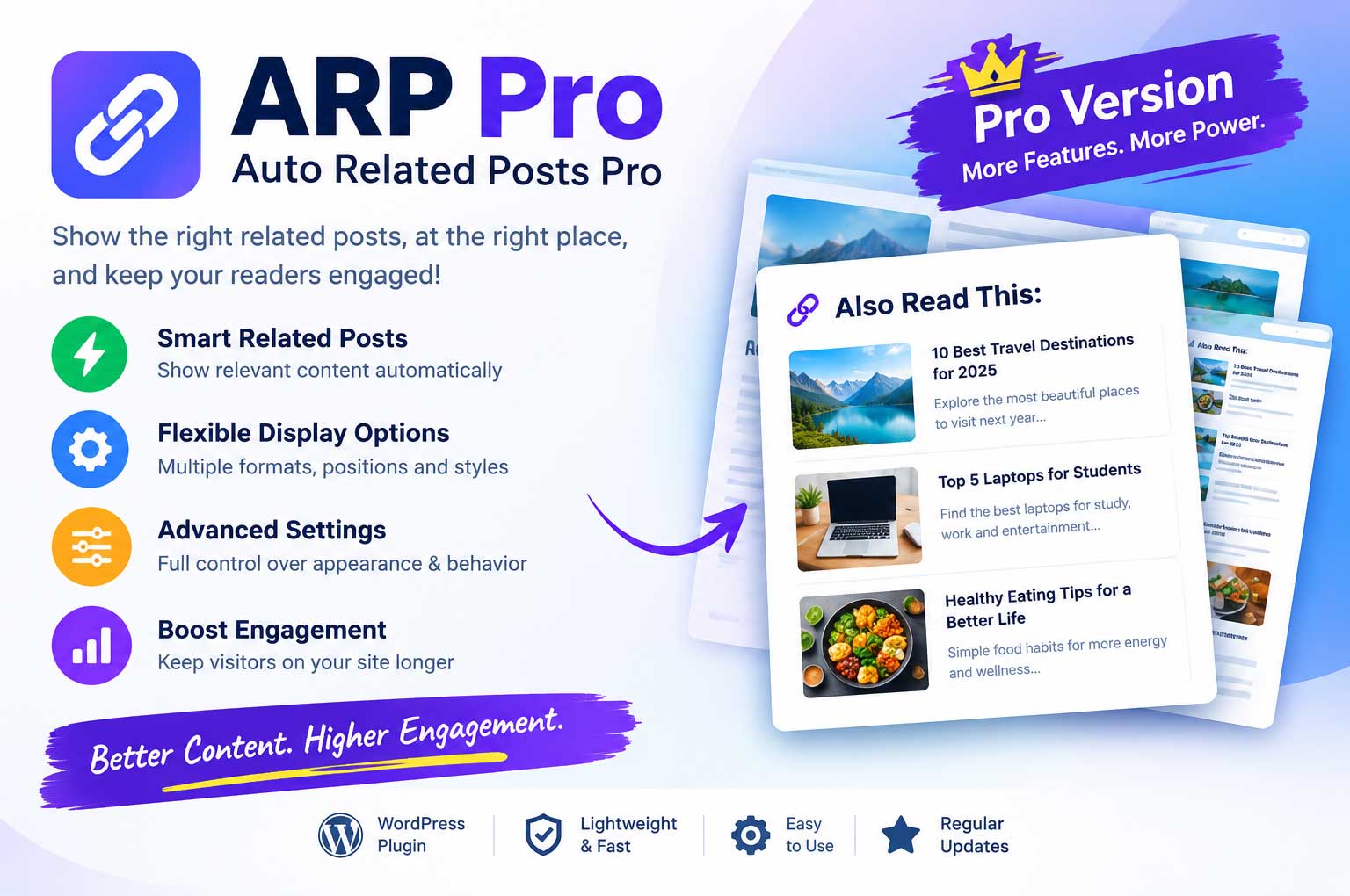

Automatic Related Posts Plugin for WordPress ver 1.0.0
| Single | 1 Site 1 Year | $10 | ₹899 |
| Business | 3 Sites 1 Year | $22 | ₹1,999 |
| Unlimited | No Limit 1 Year | $39 | ₹3,599 |
| Lifetime | 1 Site Lifetime | $199 | ₹18,699 |
| Lifetime | No Limit Lifetime | $499 | ₹45,999 |


Important Notice: Please send us your email address at admin@gnugpl.org after the payment done.
Automatic Related Posts Plugin for WordPress – ARP Pro helps WordPress website owners display related posts within their article content using the “Also Read This” heading. It is designed for blogs, news websites, online magazines, technology websites, and other content-focused platforms that want to improve internal content discovery.
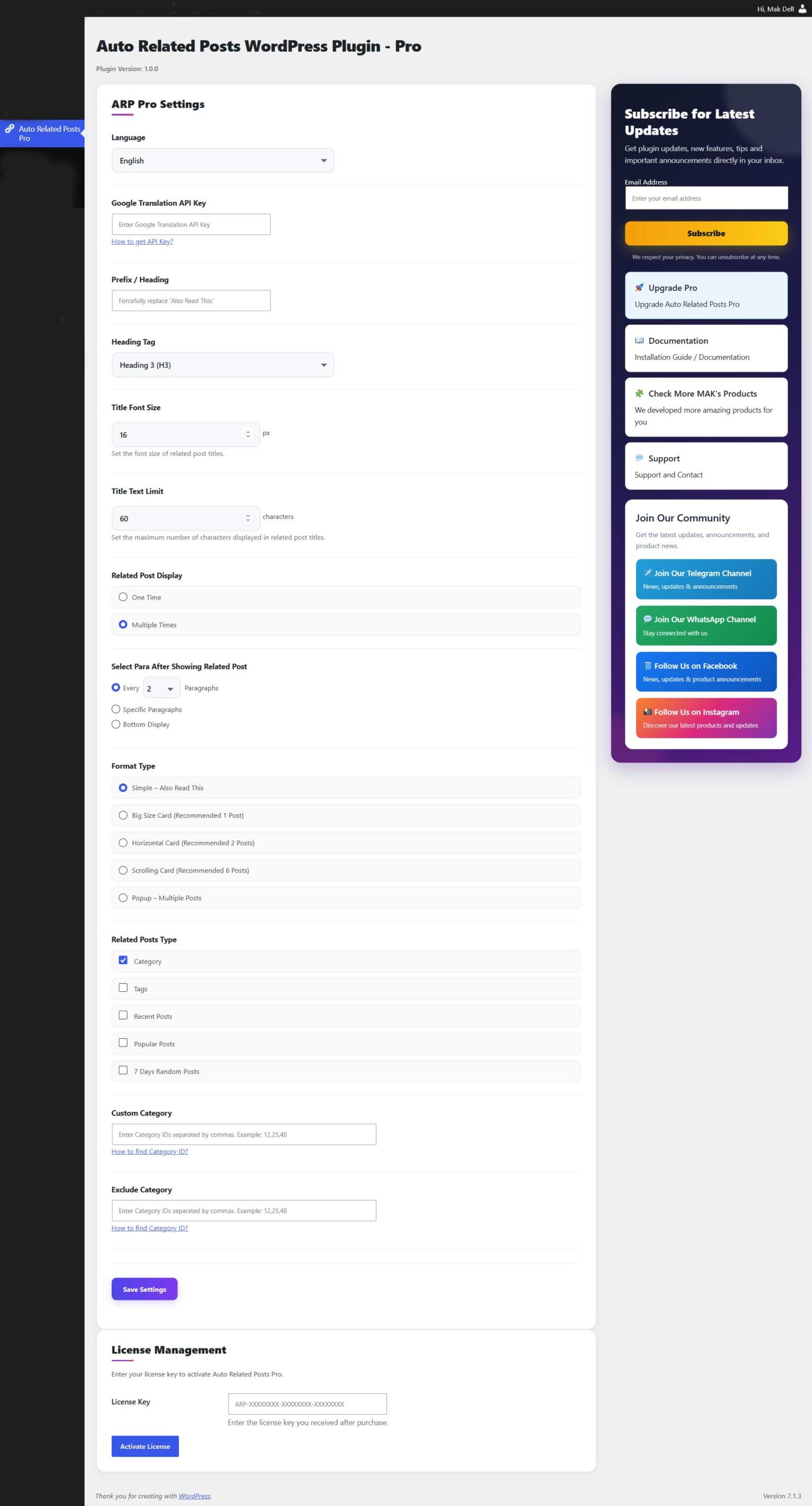
ARP Pro offers configurable settings for related-post placement, display formats, heading styles, title length, and related-post selection. Depending on your requirements, you can use category-based recommendations or enable other available post-selection options.
Key Features
- Automatic Related Posts: Display related posts within your WordPress content using the plugin's insertion settings.
- Multiple Display Options: Choose from Simple – Also Read This, Big Size Card, Horizontal Card, Scrolling Card, and Popup formats.
- Flexible Placement: Configure related-post insertion after regular paragraph intervals, at specific paragraphs, or at the bottom of the post.
- One-Time or Multiple Display: Choose whether related posts should be displayed once or multiple times, according to the available settings.
- Multiple Related-Post Sources: Select from Category, Tags, Recent Posts, Popular Posts, and 7 Days Random Posts.
- Custom Category Selection: Specify category IDs to customize the categories used for related-post selection.
- Exclude Categories: Exclude selected categories from related-post selection.
- Custom Heading: Configure the heading or prefix, including “Also Read This”.
- Heading Tag Control: Select the heading tag, such as H3 or H4, from the available options.
- Title Font Size: Adjust the related-post title font size.
- Title Text Limit: Set a maximum character limit for related-post titles.
- Language Setting: Choose the available plugin language, including English and Hindi where supported by the installed version.
- Google Translation API Setting: Configure the Google Translation API key field when translation functionality is needed.
- Permanent ARP Option: Use the per-post “Permanent ARP — Keep Simple – Also Read This permanently in this post?” option where supported by the installed version.
- License Management: Activate and manage the ARP Pro license using your license key.
Wordpress Admin Panel View
Flexible Related-Post Display
Automatic Related Posts Plugin for WordPress Pro provides different formats so you can choose a presentation that fits your website's design and content.
1. Simple – Also Read This
Display a straightforward related-post link with the configured heading or prefix. This format is suitable for news articles, blogs, and text-focused websites that prefer a clean, compact appearance.
2. Big Size Card
Use a larger related-post card when you want to give a selected article more visual prominence. The plugin settings recommend this format for one post.
3. Horizontal Card
Display related content in a horizontal card-style layout. This option can be useful when you want to show multiple related articles in a more visual presentation.
4. Scrolling Card
Use the scrolling-card format to present a larger selection of related posts in a compact area.
5. Popup – Multiple Posts
Choose the popup format when you want to present multiple related posts in a popup-style display.
The final appearance and number of posts displayed depend on the selected format and the plugin's actual configuration.
Control Where Related Posts Appear
Automatic Related Posts Plugin for WordPress Pro provides placement options to help you decide where related content should appear inside your articles.
- Every N Paragraphs: Insert related posts at the configured paragraph interval, such as every two paragraphs.
- Specific Paragraphs: Configure insertion at selected paragraph positions, where supported by the installed version.
- Bottom Display: Place related content at the bottom of the article.
The plugin also provides a One Time / Multiple Times display setting. Select the behavior that best suits your content layout and preview the result on the front end.
Configure Related-Post Sources
You can select the available sources that ARP Pro uses to determine which posts to display.
- Category: Find related posts using category-based selection.
- Tags: Use post tags as a related-content source.
- Recent Posts: Include recent articles.
- Popular Posts: Use the plugin's available popular-post selection.
- 7 Days Random Posts: Use the available random-post option for content from the last seven days.
You can also enter category IDs under Custom Category and Exclude Category to refine category-based selection.
Actual results depend on the selected sources, available published posts, and the plugin's implemented selection logic.
Permanent ARP: Keep Simple – Also Read This Permanently in a Post?
Automatic Related Posts Plugin for WordPress Pro includes a per-post option labeled “Permanent ARP — Keep Simple – Also Read This permanently in this post?”
This setting is intended to control permanent Simple ARP insertion for an individual post. It is separate from the general settings that control automatic related-post placement.
- Yes: Enable the permanent Simple ARP behavior for the selected post, according to the implementation in the installed version.
- No: Do not request a new permanent insertion through this option; regular ARP Pro settings can still apply.
To use it, open Posts → All Posts, edit the required post, locate the Permanent ARP option, choose the desired value, and save the post.
Improve Content Discovery and Internal Linking
Relevant internal links help readers find additional articles without having to return to the homepage or search the website manually.
Automatic Related Posts Plugin for WordPress Pro makes it easier to place related content within the reading experience. For example, a technology article can show other technology posts, while a news article can direct readers toward additional coverage of the same subject.
The plugin is suitable for:
- WordPress blogs
- Hindi and English news websites
- Technology and educational websites
- Online magazines
- Content publishers
- Websites with large archives of published articles
Easy to Configure
Getting started with ARP Pro is straightforward:
- Install and activate the plugin.
- Open the ARP Pro settings page in your WordPress Dashboard.
- Choose the language and configure the available heading options.
- Select the related-post sources you want to use.
- Choose a display format.
- Configure the insertion frequency or placement.
- Adjust title font size and title character limit if required.
- Save your settings.
- Open a published article and verify the related-post display on the front end.
For posts requiring special handling, review the Permanent ARP option in the post editor as well.
A Lightweight Solution for WordPress Publishers
Auto Related Posts – ARP Pro provides configurable ways to display related content without requiring editors to manually insert related links into every article. Its combination of automatic placement, multiple display formats, and post-selection settings helps publishers tailor related-content presentation to their websites.
Whether you manage a news portal, a technology blog, a magazine, or a general WordPress website, ARP Pro offers a practical way to make more of your published content discoverable.
Choose the related-post format and placement that suit your website, configure the available options, and preview your articles to ensure the final display works as intended.





Reviews
There are no reviews yet.